Google's New AI Integration: Automation Meets Security in the Workplace
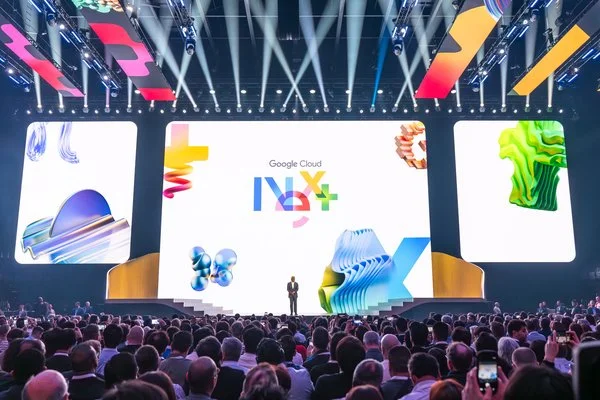
With businesses increasingly relying on digital tools, Google is stepping up its game in support of enterprise productivity. The recent unveiling at Google Cloud Next highlighted significant updates to Chrome, particularly the incorporation of AI to streamline web-based tasks for enterprise users. This shift towards an automated, contextual browser experience represents not just a technological enhancement, but a fundamental reevaluation of how artificial intelligence can reshape workplace efficiency.
The Functionality of "Auto Browse"
The introduction of "auto browse" marks a pivotal moment for Chrome in an enterprise context. By leveraging Gemini, Google’s AI, this feature allows users to navigate their open tabs intelligently. The AI not only processes information but also assists in executing tasks like scheduling, data input, and travel arrangements. This goes beyond simple automation—it's about integrating AI into the workflow where context is dynamically interpreted to assist users in real-time.
For instance, users can extract relevant data from multiple sources for tasks ranging from populating CRM systems directly from a Google Doc to comparing vendor pricing or summarizing candidate portfolios before interviews. While this sounds promising for productivity, the reliance on AI also raises questions about data accuracy and the quality of AI-generated insights, particularly when human oversight is a mandated requirement.
Balancing Automation and Human Oversight
Crucially, Google maintains that there will always be a human in the loop, meaning that AI-generated outputs must be reviewed before action is taken. This dual approach aims to mitigate risks associated with AI decision-making—a reality not lost on those engaged with AI implementations. While the promise of more free time for “strategic work” is appealing, research suggests that AI can inadvertently lead to increased workloads and pressure on employees to complete tasks more efficiently.
This dichotomy raises significant questions: as AI becomes more integrated into everyday workflows, will managers expect employees to achieve more in less time, effectively squeezing out the intended benefits of AI assistance?
A Focus on Security Measures
In conjunction with the AI feature, Google is enhancing security protocols within Chrome through advanced detection of unsanctioned AI tools and compromised browser extensions, particularly via its Chrome Enterprise Premium. This capability isn’t merely precautionary; it’s partly a defensive strategy to shield against other AI integrations that might gain traction organically within organizations.
By introducing “shadow IT risk detection,” Google equips IT teams with visibility into both authorized and unauthorized usage of AI and SaaS applications within their networks. This move essentially serves a dual purpose: protecting institutions from potential vulnerabilities while simultaneously discouraging reliance on unapproved AI solutions, maintaining Google's competitive edge in the enterprise space.
Partnerships and Upgrades: Enhancing Security Infrastructure
Google's expanded collaboration with Okta aims to further secure the enterprise environment against threats such as session hijacking. In addition to security enhancements, the integration of Microsoft Information Protection signifies a broader commitment to standardizing security policies across platforms. With these upgrades, organizations are better positioned to assert strong control over data protection, which is increasingly vital in cybersecurity discussions.
Implications for Enterprise Workflows
The implications of these developments extend well beyond just improved browser capabilities. As organizations adopt these features, they will likely need to reevaluate their approaches to workplace efficiency, employee productivity, and data security. The introduction of AI tools could catalyze shifts in corporate culture, with potential pressure on employees to adapt swiftly to new expectations tied to AI-driven productivity.
However, while embracing innovations like auto browse may seem beneficial, businesses should remain vigilant about the promises versus the realities of AI implementations. The instinct might be to welcome AI as a panacea for all productivity woes, but there's an important counter-narrative emerging: AI could be intensifying work instead of alleviating it. Organizations must navigate this complexity carefully, ensuring that they’re not setting themselves—and their employees—up for unrealistic expectations.
Looking Ahead: What to Watch For
The rollout of these features initially targets Workspace users in the U.S., which sets a precedent for potential broad adoption. As AI tools become fixtures in everyday business processes, how employees and management adapt will shape the landscape of workplace technology. Companies need to anticipate the challenges that come with automation, including the necessity for a culture that embraces change while prioritizing employee well-being and maintaining data integrity.
In summary, while Google's innovations offer substantial promise for efficiency and security, they also serve as a reminder of the delicate balance that must be maintained when integrating AI into work environments. Organizations should prepare for a future where the successful adoption of AI tools hinges as much on human adaptability and oversight as on the technology itself.